

Affiliate disclosure: Affiliate & Review Disclosure Some links on this page are affiliate links. If you purchase through them, we may earn a small commission at no extra cost to you. Every desk on this list is selected for real-world usability, value, and reliability. No paid placements.
Cut through the noise and skip the cheap, wobbly desks. These are the top standing desks I would actually buy for remote work, home offices, and small businesses.
After comparing dozens of standing desks and digging through real owner reviews, I narrowed it down to five models that are actually worth your money in 2026.
- Reduce back pain and long sitting streaks without sacrificing productivity
- Choose the right desk for your budget, space, and monitor setup
- Scan detailed reviews and compare specs side by side
Did you know that the average office worker spends over 10 hours per day sitting? According to recent health studies, this sedentary lifestyle increases the risk of cardiovascular disease, diabetes, and chronic back pain.
Standing desks have emerged as a powerful solution to combat these health concerns while boosting productivity and energy levels throughout the workday.
Whether you are working from home or outfitting a corporate office, choosing the best standing desk can transform your daily work experience. The right adjustable desk promotes better posture, reduces fatigue, and creates a more dynamic workspace that adapts to your needs throughout the day.
In this comprehensive guide, we will walk through the different types of standing desks, key features that actually matter in daily use, and side by side comparisons of the top models for 2026.
Quick Summary: Best Standing Desks by Use Case
Short on time? Here’s a fast breakdown of which desk to choose based on your budget and workspace. You can click to see today’s price on Amazon or scroll down for the full review.
- Best Overall: UPLIFT V3 Standing Desk — stable, highly customizable, and built to last. Check price →
- Best Budget: FlexiSpot E6 — dual motors and great stability at a lower price. Check price →
- Best Premium: Vari Electric Standing Desk — near-silent motors and executive-level finishes. Check price →
- Best for Small Spaces: ERGOMAKER SM205 — compact footprint that still gives you full sit-stand functionality. Check price →
- Best Everyday Home Office Desk: VIVO Electric Standing Desk — rustic look with dependable performance for daily use. Check price →
🏆 The 5 Best Standing Desks of 2026
Here are the full reviews of each desk, with specs, pros and cons, and who each one is best for.
UPLIFT V3 Standing Desk
UPLIFT Desk
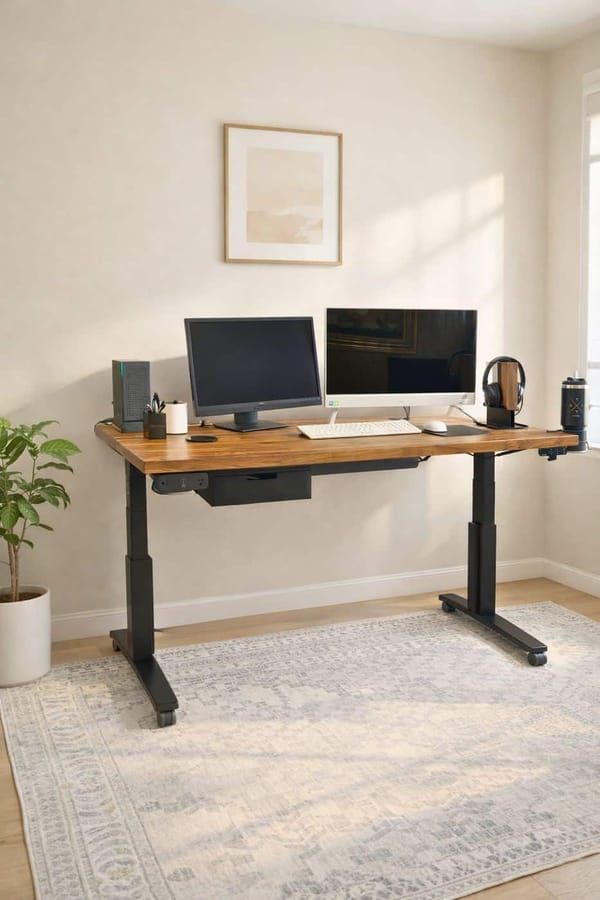
Our Take: The UPLIFT V3 consistently earns top marks for its exceptional combination of performance, features, and value. This dual-motor electric desk offers a height range of 22.6 to 48.7 inches, accommodating users from 5'0" to 6'5" comfortably.
For hands-on detail, see my UPLIFT V3 standing desk review, and if you need a corner setup, my UPLIFT V3 L-Shape desk review from our office reception desk.
Key Features:
- Height Range: 22.6" to 48.7"
- Weight Capacity: 355 pounds
- Motor System: Dual-motor for smooth adjustments
- Speed: 2 inches/second
- Memory Presets: 4 programmable positions
- Desktop Options: Bamboo, wood, laminate (42"-80" wide)
- Special Features: Advanced anti-collision sensors
- Warranty: 15-year warranty covers all components (frame, motors, electronics, and desktop)
👍 Pros
- Very stable, with only slight flex at maximum height
- Commercial-grade steel construction
- Advanced anti-collision sensors
- Extensive customization options
- Excellent cable management system
- Industry-leading 15-year warranty
👎 Cons
- Higher price point (from $599)
- Assembly can take 45-60 minutes
- Desktop options can be overwhelming
FlexiSpot E6 Standing Desk
FlexiSpot

Our Take: The FlexiSpot E6 proves you don't need to spend $1,000+ to get a quality electric standing desk. Starting at just $329.99, this dual-motor desk delivers impressive performance that punches well above its price point.
Key Features:
- Height Range: 23.6" to 48.8"
- Weight Capacity: 283 pounds
- Motor System: Dual-motor system
- Memory Presets: 4 programmable positions
- Special Features: Anti-collision protection
- Warranty: 5 years
👍 Pros
- Exceptional value at $329.99
- Sturdy steel frame minimizes wobble
- All essential features included
- Easy assembly (20-30 minutes)
- Dual-motor reliability
👎 Cons
- Fewer desktop customization options
- Shorter warranty than premium models
- Basic cable management
Vari Electric Standing Desk
Vari
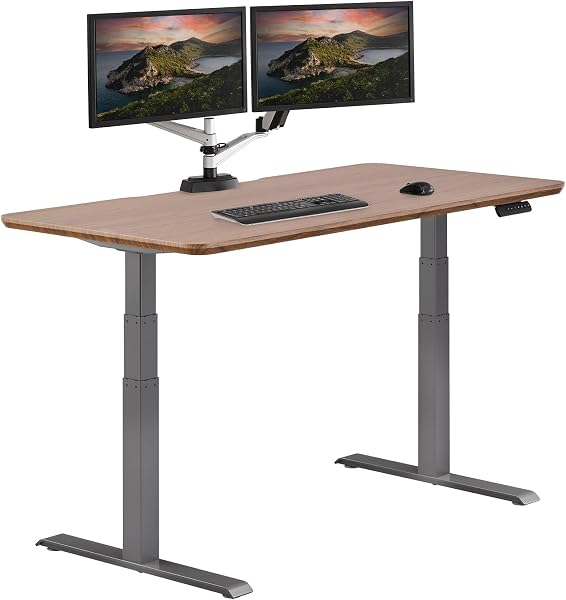
Our Take: For those willing to invest in the absolute best, the Vari Electric standing desk justifies its $995-$1,595 price tag with exceptional build quality and refined performance.
Key Features:
- Height Range: 25" to 50.5"
- Weight Capacity: 250 pounds
- Frame Design: Single-piece steel (no crossbar)
- Motor Noise: Under 45 decibels
- Memory Presets: 4 programmable
- Desktop Options: Reclaimed wood, designer laminates
- Warranty: 10 years comprehensive
👍 Pros
- Near-silent motor operation (under 45dB)
- Unobstructed legroom (no crossbar)
- Premium desktop materials
- Elegant integrated cable management
- 10-year comprehensive warranty
- Executive-level build quality
👎 Cons
- Premium pricing ($995-$1,595)
- Lower weight capacity than competitors
- Limited size options
ERGOMAKER SM205 Standing Desk
ERGOMAKER
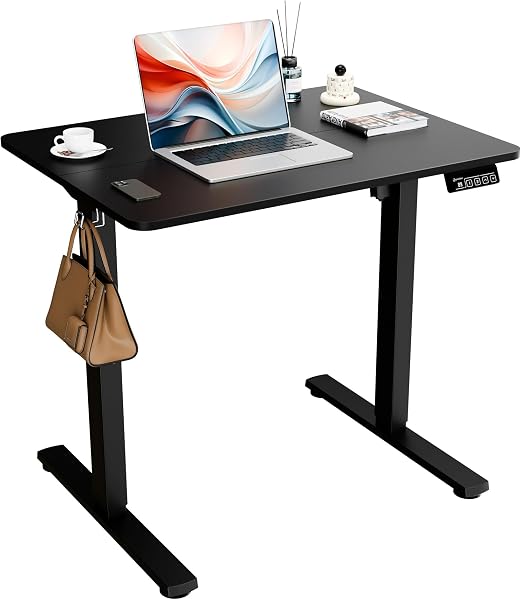
Our Take: The ERGOMAKER SM205 solves the standing desk challenge for apartment dwellers and those with limited office space. Despite its compact footprint, it doesn't compromise on essential features.
Key Features:
- Desktop Size: Compact 31×23.6"
- Height Range: 27.9" to 46.45"
- Motor System: Single motor with quiet lift
- Weight Capacity: 154 pounds
- Special Features: Space-saving design
👍 Pros
- Ultra-affordable ($84.99-$125.99)
- Perfect for small apartments
- Easy to assemble
- Quiet operation
- Compact footprint
👎 Cons
- Limited workspace (31×23.6")
- Lower weight capacity (154 lbs)
- Basic features only
VIVO Electric Standing Desk
VIVO

Our Take: The VIVO Electric standing desk combines rustic aesthetics with reliable functionality, making it perfect for everyday use in home offices and creative spaces.
Key Features:
- Height Range: 28" to 47.5"
- Motor System: Single motor with smooth electric lift
- Weight Capacity: 220 pounds
- Memory Presets: Programmable height adjustment
- Desktop Style: Rustic vintage brown with black frame
- Warranty: 3 years
👍 Pros
- Unique rustic aesthetic
- Sturdy steel construction
- Easy assembly
- Quiet operation
- Good value for everyday use
👎 Cons
- Single motor (slower than dual)
- Moderate weight capacity
- Limited desktop options
📊 Quick Comparison Table
Compare the key specs of each standing desk side by side before you decide.
| Desk Model | Price Range | Height Range | Weight Capacity | Motors | Best For |
|---|---|---|---|---|---|
| UPLIFT V3 | From $599 | 22.6"-48.7" | 355 lbs | Dual | Overall value |
| FlexiSpot E6 | $329.99 | 23.6"-48.8" | 283 lbs | Dual | Budget buyers |
| Vari Electric | $995-$1,595 | 25"-50.5" | 250 lbs | Single (quiet) | Premium quality |
| ERGOMAKER SM205 | $84.99-$125.99 | 27.9"-46.45" | 154 lbs | Single | Small spaces |
| VIVO Electric | Check Amazon | 28"-47.5" | 220 lbs | Single | Everyday use |
📘 Tap to expand the full standing desk guide (health benefits, types, and key features)
Introduction to Standing Desks
Standing desks, also known as height adjustable standing desks, have quickly become a staple in modern offices and home workspaces. Their rise in popularity is driven by the growing awareness of the health risks associated with prolonged sitting, such as back pain, poor posture, and increased risk of chronic diseases. By allowing users to alternate between sitting and standing, these desks encourage regular movement throughout the day, which is essential for maintaining good health and energy levels.
With so many options available, from budget standing desks to high-end models like the Vari electric standing desk, it's easier than ever to find a solution that fits your needs. Whether you prefer the natural beauty of a solid wood desk or the clean lines of a modern and sleek desk, there's a standing desk designed to enhance your workspace. The key is to choose a height adjustable standing desk that supports your workflow, promotes better posture, and delivers the health benefits you're seeking—making every workday more comfortable and productive.
Why You Need a Standing Desk in 2026
The case for standing desks has never been stronger. As remote work becomes increasingly common and our understanding of workplace ergonomics deepens, the height adjustable desk has transitioned from a luxury item to an essential piece of office equipment for health-conscious professionals. Finding the perfect height for your standing desk is crucial to maximize comfort and ergonomic benefits, ensuring proper posture and reducing strain during long work hours.
Health Benefits of Standing Desks
The health advantages of incorporating standing into your work routine are backed by substantial research. Studies published in the British Journal of Sports Medicine found that alternating between sitting and standing can reduce back pain by up to 32% within just a few weeks of consistent use.
Standing while working increases your calorie burn by approximately 50 calories per hour compared to sitting—which adds up to an extra 200-300 calories burned during a typical workday. While this won't replace dedicated exercise, it contributes meaningfully to your overall energy expenditure and metabolic health.
Perhaps most importantly, reducing prolonged sitting time lowers your risk of cardiovascular disease and helps regulate blood sugar levels. When you stand, your muscles engage more actively, promoting better circulation and preventing the blood pooling that occurs during extended sitting sessions. This improved blood flow delivers more oxygen to your brain, which naturally leads to enhanced mental clarity and focus.
Productivity and Workplace Performance
Beyond the physical health benefits, standing desks significantly impact workplace performance. Research from Texas A&M University found that employees using sit-stand desks were 46% more productive than their seated counterparts, measured by successful calls completed per hour.
The ability to change positions throughout the day helps combat the afternoon energy slump that plagues many office workers. Standing engages your core muscles and increases alertness, making it easier to maintain concentration during challenging tasks or lengthy video conferences.
Users consistently report improved mood and reduced feelings of stress and fatigue when using ergonomic desks with standing capabilities. The simple act of movement—even just the transition from sitting to standing—creates a mental reset that can boost creativity and problem-solving abilities.
Types of Standing Desks: Finding Your Perfect Match
Understanding the different types of standing desks available is crucial for selecting the option that best fits your workspace, budget, and usage patterns. Each type offers distinct advantages and potential drawbacks to consider.
Electric vs. Manual: Which Is Right for You?
Electric Standing Desks
Electric standing desks represent the gold standard in height adjustability and convenience. These desks feature motorized lift mechanisms that smoothly raise and lower your work surface at the touch of a button, typically taking 15-30 seconds to transition from sitting to standing height. Most electric standing desks also include a built-in control panel for easy height adjustments, often equipped with physical buttons or touch interfaces to enhance user experience.
Key Features:
- Motorized lift for effortless adjustment
- Built-in control panel (physical buttons or touch)
- Programmable memory presets (save preferred heights for instant recall)
- USB-A and USB-C charging ports (on some models)
- Height range: typically 24-52 inches
- Weight capacity: 200-350+ pounds
The best electric standing desks include programmable memory presets, advanced motor technology for precise height changes, and often anti-collision technology (sensors that stop or reverse the desk if it encounters an obstacle). Many modern electric desks also offer USB-A and USB-C charging ports, allowing you to power devices directly from the desk.
Dual-motor systems (desks with two motors, one in each leg) are considered superior to single-motor systems because they provide more lifting power, smoother and more even height adjustments, and better long-term reliability—especially for heavier setups or frequent adjustments.
These desks are ideal for tech-savvy users who adjust their desk height multiple times throughout the day and anyone who shares a workspace with others of different heights. Expect to invest between $400-$2,000 for quality electric models, with premium options featuring enhanced stability, faster motors, advanced smart features, and higher lifting capacity.
Manual Crank Standing Desks
Manual crank desks use a hand-operated mechanism to adjust height, typically requiring 30-50 rotations to move from sitting to standing position. While this requires more effort than electric alternatives, it offers several compelling advantages.
Key Features:
- Hand-crank adjustment (no electricity required)
- Lower price point (30-40% less than electric)
- Silent operation
- No electronic parts to fail
- Height range: similar to electric, but may be more limited
Manual crank standing desks work best for users who adjust their desk height once or twice daily rather than frequently throughout the day. They're also excellent choices for budget-conscious buyers who want the health benefits of a sit-stand desk without the premium price tag.
Converter/Desktop Standing Desks
Standing desk converters sit on top of your existing desk, providing an elevated platform for your monitor, keyboard, and mouse. These space-saving solutions transform any traditional desk into a sit-stand workstation without requiring a complete furniture replacement.
Key Features:
- Sits atop existing desk
- Most affordable option ($150-$400)
- Easy to install and remove
- Limited desktop space
- May not support large/multi-monitor setups
Converters are the most budget-friendly entry point into standing desk usage, perfect for renters, people with limited space, or those who want to test standing desk benefits before committing to a full desk replacement.
Fixed-Height Standing Desks
Fixed-height standing desks remain at a single elevation and are designed exclusively for standing work. While this might seem limiting, they make sense in specific scenarios—particularly for users who are certain about their preferred standing height and want to maximize desk stability while minimizing cost.
Key Features:
- No moving parts (maximum stability)
- Lowest cost (40-60% less than adjustable)
- Best for single-user, single-height needs
- Not suitable for sitting or shared workspaces
Most users find that adjustable options provide better long-term value and usability.
Key Features to Consider When Choosing the Best Standing Desk
Not all standing desks are created equal. Understanding the critical features that distinguish exceptional desks from mediocre ones will help you make an investment that serves you well for years to come. Product safety is also crucial—look for desks with certifications like UL or ANSI/BIFMA and built-in safety features to ensure reliable and secure operation.
Height Range and Adjustability
The height range of your standing desk determines whether it can accommodate your body properly in both sitting and standing positions. Most quality desks offer a range from approximately 24-25 inches (sitting height) to 49-52 inches (standing height).
- For proper ergonomics: Your elbows should form a 90-degree angle when your hands rest on the keyboard, whether sitting or standing.
- Special considerations: If you're particularly tall (over 6'2″) or short (under 5'2″), pay extra attention to height specifications. Some desks designed for extended height ranges can accommodate users from 5 feet to 6'8″.
Weight Capacity and Stability
Weight capacity indicates how much equipment your desk can safely support, including monitors, computers, accessories, and any items you keep on your work surface. Most standing desks handle between 100-350 pounds, with premium models supporting even more.
- Calculate your total desktop weight before purchasing.
- Choose a desk rated for at least 25% more than your calculated weight to ensure long-term stability.
Stability is equally important as raw weight capacity. Look for desks with solid steel frames, crossbar supports, and wide foot bases. Reading user reviews specifically mentioning stability at maximum height provides valuable real-world insights.
Desktop Size Considerations
Desktop dimensions directly impact your workspace comfort and functionality.
- Standard widths: 48 to 72 inches
- Standard depths: 24 to 30 inches
- 48-inch wide desk: Accommodates a laptop and single monitor comfortably
- 60-inch wide desk: Room for dual monitors and accessories
- 72-inch or larger: Ideal for three monitors or creative work
Motor Quality and Speed (Electric Desks)
Electric standing desks use either single or dual motor systems. Dual-motor systems (two motors, one in each leg) provide superior lifting power, smoother and more even height adjustments, and better long-term reliability compared to single-motor systems.
- Adjustment speed: 1 to 2.3 inches per second
- Noise level: Quality motors operate at 45-50 decibels (similar to quiet conversation), while cheaper motors can reach 60+ decibels.
Memory Presets and Smart Features
Memory presets are programmable buttons that let you save your preferred desk heights and return to them instantly with a single press.
- Most electric standing desks: Include 2-4 preset options
- Anti-collision technology: Sensors that detect obstacles and automatically stop or reverse desk movement
- Smart features: Built-in USB charging ports, cable management trays, and smartphone apps for tracking standing time
Frame Construction and Durability
Frame construction determines your desk's longevity and stability.
- All metal desk: Maximum sturdiness and longevity
- Commercial-grade steel: Professional quality, resists wear and corrosion
- Four legs design: Reliable support and traditional look
- Three-stage legs: Provide wider height ranges than two-stage legs
Warranty coverage: Look for warranties covering at least 5 years on the frame and 3 years on electronic components. Premium brands often provide 10-15 year frame warranties.
Desktop material: Solid wood (beauty and strength), bamboo (eco-friendly and durable), laminate and particleboard (cost-effective).
- Extra features: Built-in drawer for storage, integrated cable trays for organization
Standing Desk Accessories
Essential Accessories for Comfort and Organization
To truly optimize your standing desk setup, the right accessories can make all the difference. Here are some top recommendations:
- Cable management trays and organizers: Keep your workspace clutter-free
- Wireless charging pad: Power your phone without extra wires
- Ergonomic chair: For comfortable sitting periods
- Footrest: Supports proper posture and reduces fatigue
- Monitor arms: Adjust monitor height and angle for eye-level viewing
- Anti-fatigue mat: Cushions your feet during long standing sessions
- Keyboard tray: Promotes ergonomic wrist positioning
- Desk lamp: Reduces eye strain and improves focus
- Desk drawer or storage tray: Keeps essentials within reach
💡 Buying Guide: Setting Up Your Standing Desk
Optimal Desk Height Settings
Proper desk height is crucial for ergonomic benefit. When standing, your elbows should be at 90 degrees with relaxed shoulders. Your monitor should be at eye level, about an arm's length away.
Transitioning Between Sitting and Standing
Start gradually—alternating every 30-60 minutes between sitting and standing. Most users find their sweet spot is 50-70% sitting and 30-50% standing throughout the day.
Essential Accessories
- Anti-Fatigue Mat: Reduces foot and leg strain during standing
- Monitor Arm: Ensures proper screen height in both positions
- Cable Management: Keeps cables organized during height changes
- Footrest: Provides relief and encourages movement
Frequently Asked Questions
How long should I stand at my standing desk?
A: Start with 30-minute intervals and gradually increase. Most experts recommend a 1:1 or 2:1 sitting-to-standing ratio. Listen to your body and adjust as needed.
Will a standing desk help me lose weight?
A: Standing burns approximately 50 extra calories per hour compared to sitting. While helpful, standing alone won't replace proper diet and exercise for weight loss.
Do I need an anti-fatigue mat?
A: Highly recommended. Anti-fatigue mats reduce stress on feet, legs, and lower back, making standing more comfortable for extended periods.
Can I use my existing desk with a converter?
A: Yes! Desk converters are an affordable way to add standing functionality to any existing desk. They work best for single-monitor setups.
What's the difference between single and dual motor desks?
A: Dual-motor desks offer better stability, higher weight capacity, and more even lifting. They're worth the investment for heavy equipment setups.
Final Verdict
For Most People: Get the UPLIFT V3 (from $599). It's the best balance of features, stability, and long-term value.
If Budget is Tight: The FlexiSpot E6 ($329.99) delivers 80% of premium desk performance at a fraction of the cost.
If You Want the Best: The Vari Electric ($995-$1,595) offers unmatched quality and refinement for executive offices.
For Small Spaces: The ERGOMAKER SM205 ($84.99-$125.99) provides full standing desk functionality in a compact footprint.
For Everyday Use: The VIVO Electric combines rustic style with reliable performance for home offices.
Prices and availability subject to change. Last updated: October 2026.

Thomas Camp Jr.
Thomas has spent 14+ years advising small business owners on the tools, equipment, and software that actually improve daily operations. His recommendations are based on what he's seen work in real offices—not just spec sheets.


